
The Easy Renewal Workflow allows users to quickly renew existing plans without manually rebuilding RFPs and presentations from scratch. If a user has current plans in the Plan section, they can select those plans, add a renewal, and associate it with the current plan using a simple drag-and-drop action.
Once associated, the system automatically builds an RFP and a presentation. It reads the renewal document and populates the spreadsheet presentation automatically — saving significant time and reducing manual data entry errors.
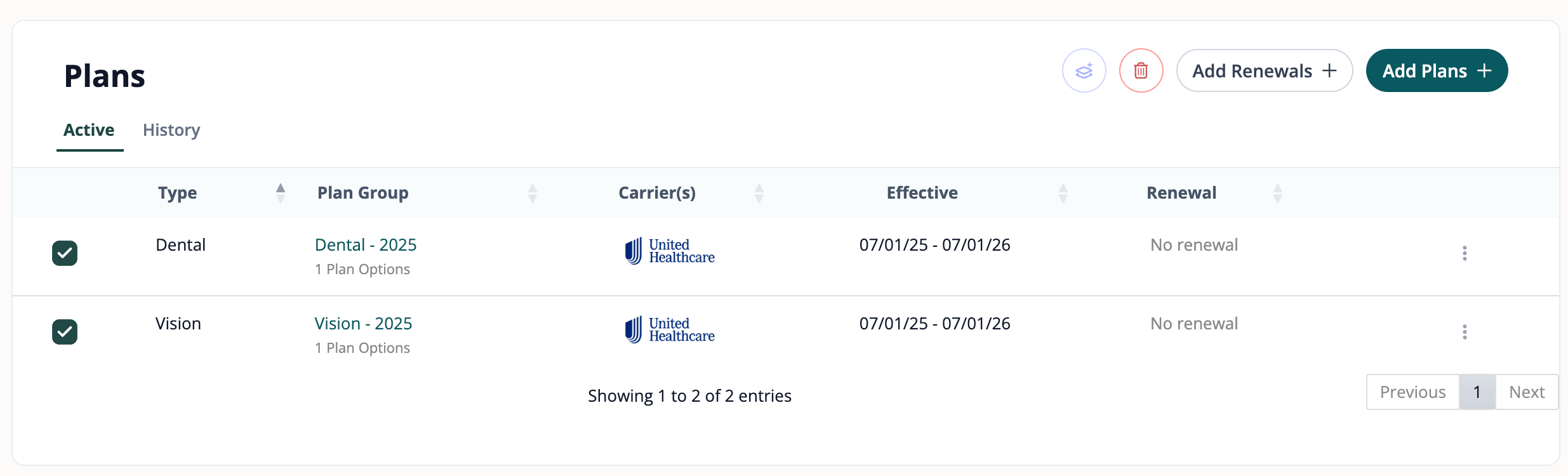
A new button at the top of the Plans section allows you to add renewals directly. Located next to the existing "Add Plans +" button.
A new column in the Plans table shows the renewal status for each plan. Plans without a renewal will display "No renewal" until one is associated.
Community rated quoting is now built directly into the Easy Renewal Workflow. When renewing community rated plans, the quoting experience is integrated right into the flow — no need to leave the workflow or handle it separately.
Navigate to the Plans section. You'll see your current plans listed with the new Renewal column (showing "No renewal" for plans that haven't been renewed yet). Select the plans you want to renew using the checkboxes, then click the "Add Renewals +" button at the top.
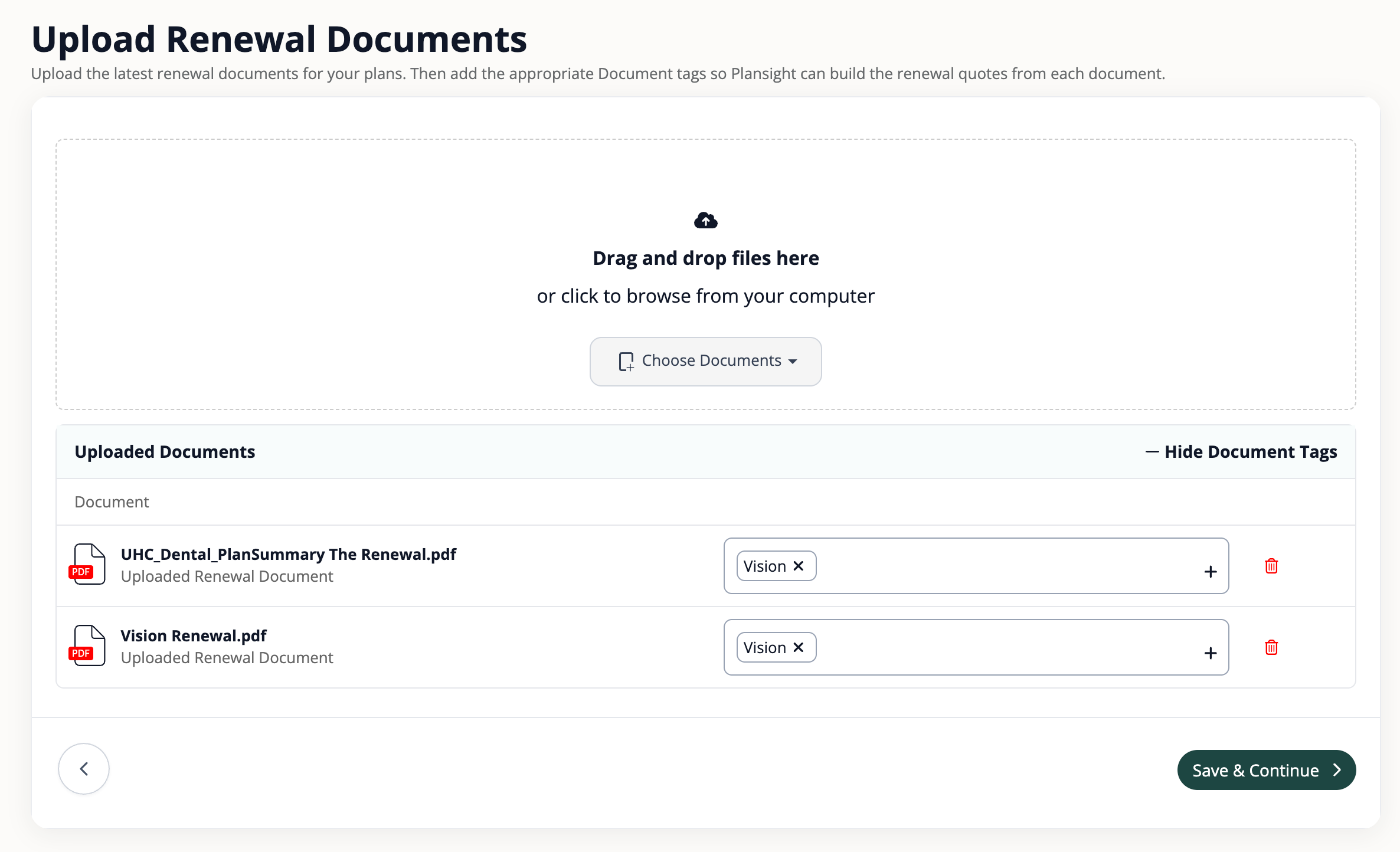
Drag and drop your renewal documents (PDF) into the upload area, or click "Choose Documents" to browse from your computer. Once uploaded, add the appropriate Document Tags (e.g., "Vision") so Plansight can match and build the renewal quotes from each document. Click "Save & Continue" when ready.
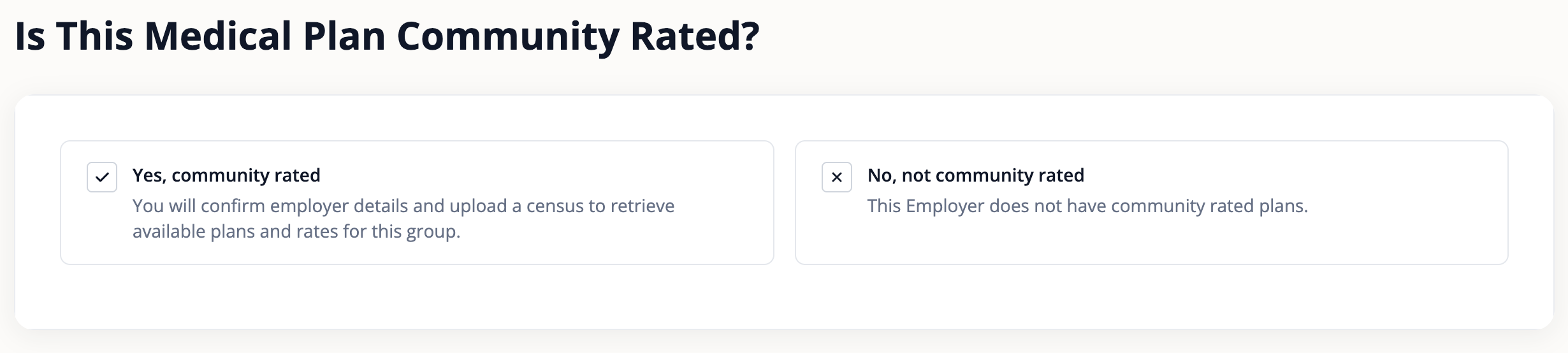
If you already have a medical plan and are going through the renewal workflow, Plansight will ask: "Is This Medical Plan Community Rated?" Select "Yes, community rated" to confirm employer details, upload a census, and retrieve available plans and rates for the group. Select "No, not community rated" if the employer does not have community rated plans.
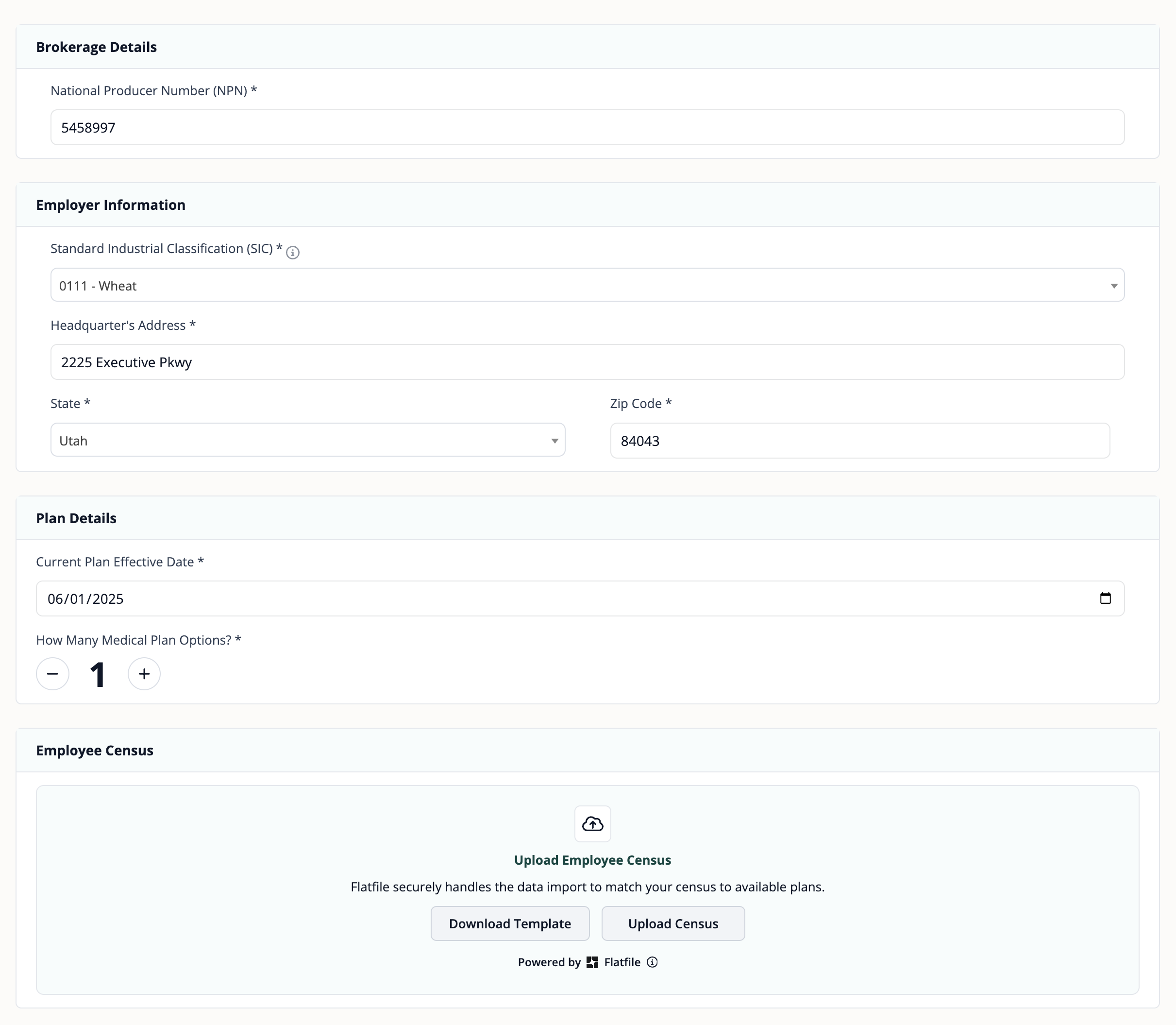
If you select Yes, the community rated workflow opens directly — right inside the renewal flow. You'll enter brokerage details, employer information, plan details (effective date and number of plan options), and upload the employee census. This is the same ACA quoting experience, but now it's built into the workflow instead of the RFP builder.
Once the renewal documents are uploaded, Plansight uses AI to read the documents and automatically pre-populate the data into a ready-built presentation. The system pulls in the first option it finds in the quote. If the renewal document contains multiple options, you can use the "Source" selector to switch between them.
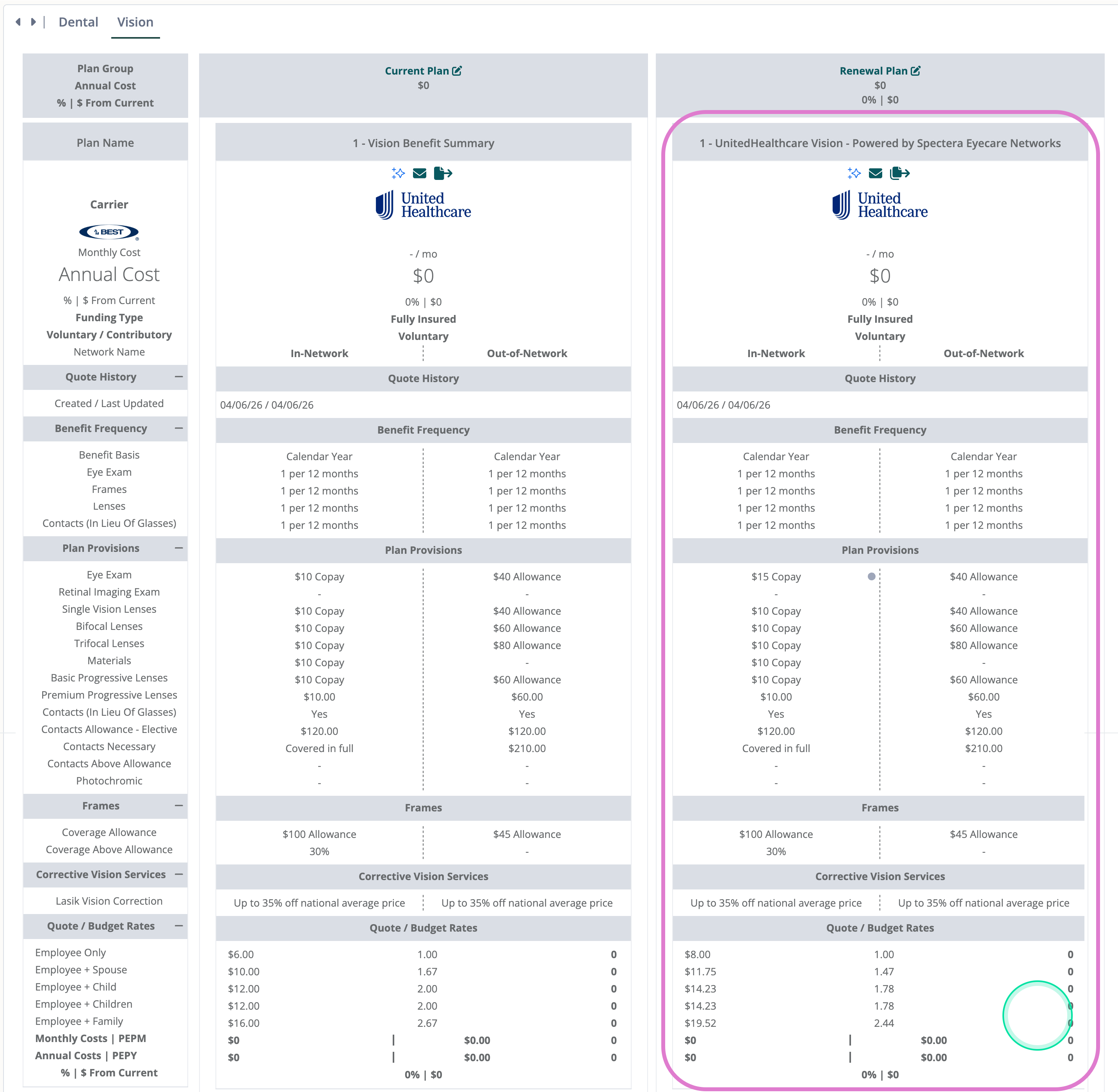
Back at the employer profile, the Renewal column now shows a direct link to each renewal (e.g., "Renewal - Dental 2026"). Clicking the link takes you straight to the side-by-side view of the current plan and renewal presentation.
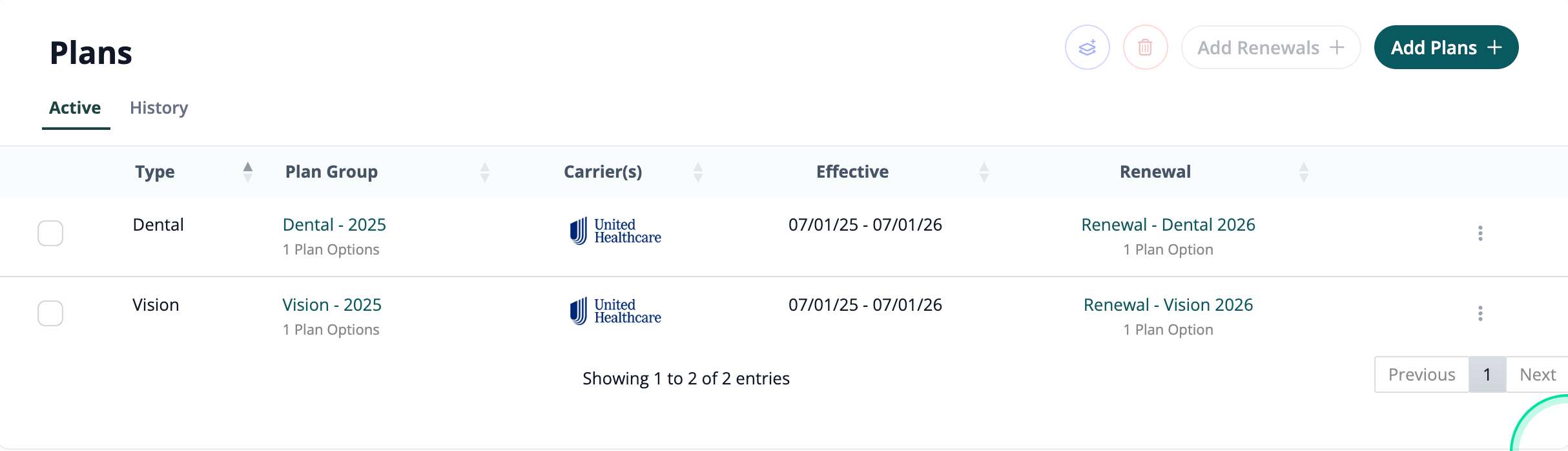
Renewals can be added incrementally as they arrive. For example, if your Dental renewal shows up first, you can start the renewal process for Dental right away. The system will build your current-vs-renewal comparison for Dental and add it to the presentation.
When the Vision renewal arrives a week later, simply repeat the process for Vision. Plansight will run the same AI-powered extraction and add it into the same presentation automatically — keeping everything together in one place without any extra setup.
No more rebuilding RFPs and presentations from scratch for renewals
Renewal documents are automatically parsed and populated into the spreadsheet
Drag-and-drop keeps renewals linked to their current plans
Automated data entry eliminates manual copy-paste mistakes
The Easy Renewal Workflow is already live on the testing environment. We encourage everyone to play around with it and get familiar with the flow.
Tip: Set up your current plans first, then have a renewal document ready. Use something very similar to the current plan but with slight differences — this way you can see the changes come through in the renewal and verify the data was pulled correctly.
Watch this walkthrough for a step-by-step demonstration of the Easy Renewal Workflow.